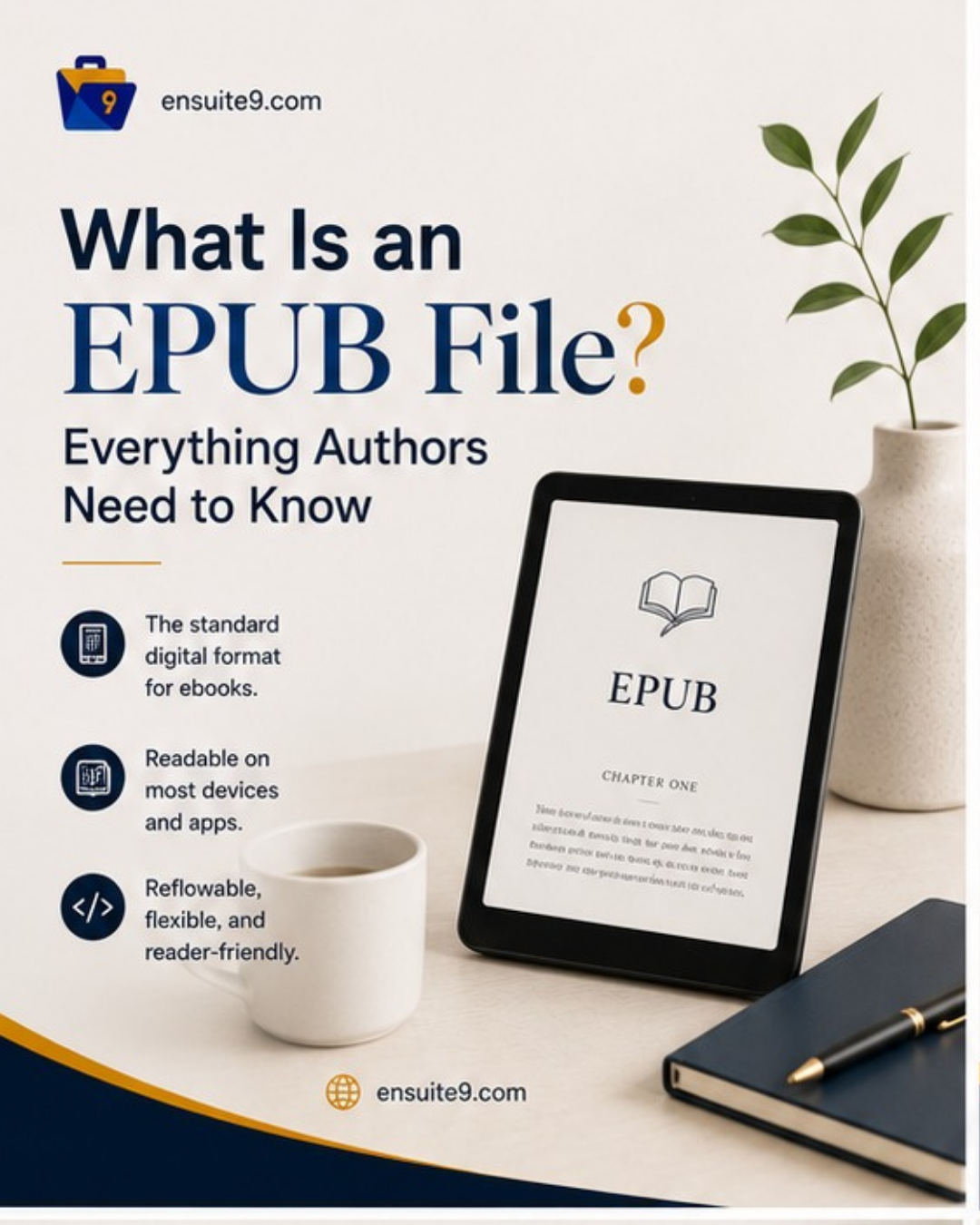
An EPUB file is the universal standard format for ebooks. EPUB stands for ‘Electronic Publication’, and it is the format accepted by every major ebook retailer and distribution platform in the world, including Apple Books, Kobo, Google Play Books, Barnes and Noble, IngramSpark, and Amazon KDP. If you are self-publishing a book in 2026, you will need an EPUB file. Understanding what it is and how it works will save you significant confusion when you get to the formatting and distribution stages of your publishing project.
This guide covers what an EPUB file actually is, how it differs from other file formats you will encounter as an author, which platforms accept it, how to get your manuscript turned into a properly formatted EPUB, and what African authors specifically need to know about EPUB distribution to reach readers locally and internationally.
What an EPUB File Is, Technically
An EPUB file is a container that packages your book’s content, including text, images, chapter structure, metadata and styling, into a single file with the extension .epub. Inside the container, the content is structured using HTML and CSS, which are the same technologies used to build websites. This means an EPUB file is essentially a small, self-contained website bundled into a single portable file that ebook reading apps and devices know how to open and display.
The key characteristic of an EPUB file is that it is reflowable. Reflowable means the text adapts to whatever screen it is being displayed on. When a reader opens your EPUB on a small phone screen, the text reflows to fit that width. When they open it on a large tablet, it reflows again. When they increase the font size, the text reflows to accommodate. This is the fundamental difference between an EPUB and a PDF, which has a fixed layout that does not adapt to screen size or reader preferences.
The EPUB standard is maintained by the W3C (World Wide Web Consortium), which means it is an open standard not owned or controlled by any single company. This is why every major platform accepts it, unlike Amazon’s proprietary Kindle formats which only work within Amazon’s ecosystem.
EPUB vs PDF vs DOCX vs MOBI: The Formats Every Author Encounters
When you start looking into self-publishing, you will encounter several file format names and the terminology can feel overwhelming. Here is what each one actually means.
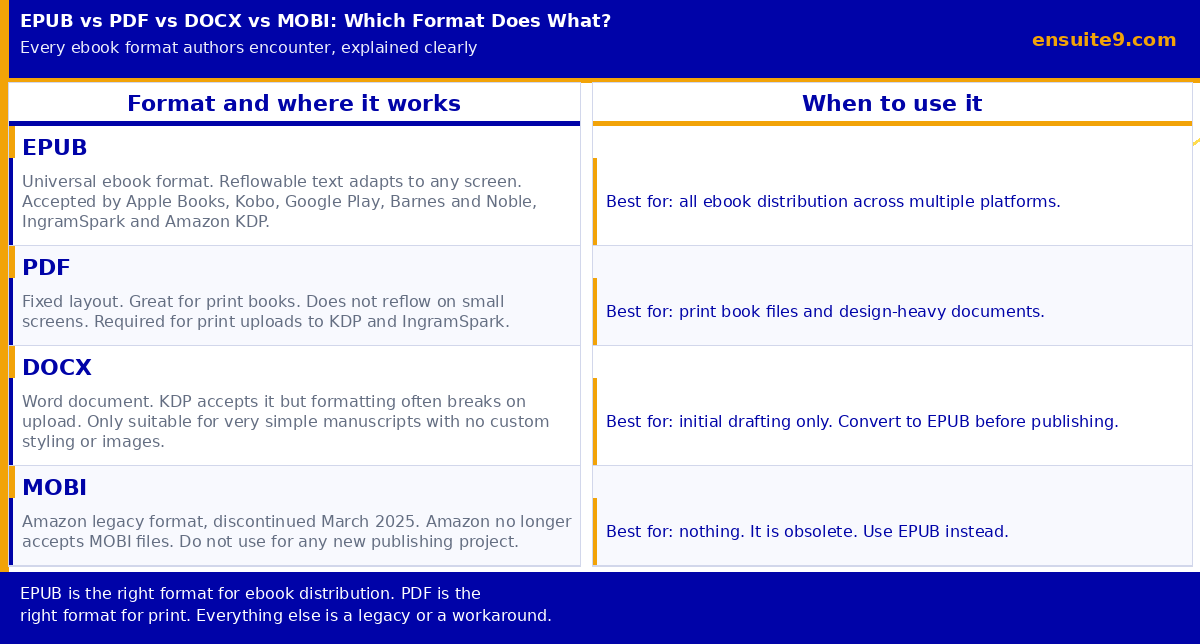
EPUB is the format you use for ebook distribution. One correctly formatted EPUB file can be uploaded to Amazon KDP, Apple Books, Kobo, Google Play Books, IngramSpark, and any aggregator service like Draft2Digital. It is the format your readers will read on their phones, tablets, and ereaders. Every serious self-publishing project needs an EPUB.
PDF is the format you use for print books. When you upload a print book to Amazon KDP or IngramSpark, you upload a PDF. The PDF preserves your exact layout, fonts, margins, and page design precisely as you intended, which is what printing requires. A PDF does not work well as an ebook on small screens because it does not reflow. If you have a design-heavy book, like a children’s book, a cookbook, or a heavily illustrated non-fiction title, a fixed-layout EPUB or a PDF may be more appropriate than a standard reflowable EPUB. For most text-based books, though, a reflowable EPUB is the right format.
DOCX is a Microsoft Word file. You will almost certainly write your book in Word or a similar word processor. KDP accepts DOCX uploads but the conversion is unreliable for anything beyond a very simple manuscript. Custom fonts, chapter headers, images, tables and special formatting frequently break or display incorrectly when a DOCX is converted to Kindle format. Always convert your manuscript to a properly formatted EPUB before uploading to any ebook platform. A DOCX is your writing tool, not your publishing file.
MOBI was Amazon’s proprietary ebook format, originally from a company called Mobipocket that Amazon acquired in 2005. For many years, authors uploading to KDP needed to provide a MOBI file. Amazon discontinued MOBI support in March 2025 and now recommends EPUB for all ebook uploads. If you have existing MOBI files from older projects, you can convert them to EPUB using a free tool like Calibre, but there is no reason to create new MOBI files. EPUB is the current standard and MOBI is obsolete.
How an EPUB Gets Converted to Kindle Format
Here is something that confuses many first-time authors: Kindle devices do not actually read EPUB files. Kindle uses its own proprietary format called KFX. So why do you upload an EPUB to KDP?
When you upload an EPUB to Amazon KDP, Amazon’s conversion system automatically transforms it into KFX, which is the format that appears on Kindle devices and apps. You never see or handle the KFX file. You upload your EPUB and Amazon handles the conversion entirely on their end. The reason EPUB is still the right thing to upload is that it produces the most reliable, highest-quality conversion to Kindle format. A well-structured EPUB converts cleanly. A DOCX file converts with a much higher rate of formatting errors.
After uploading, always preview your book using Amazon’s Kindle Previewer before approving it for publication. Kindle Previewer is a free tool that shows you exactly how your book will appear across different Kindle devices, including older Paperwhites, Fire tablets, and the Kindle app on phones. Catch formatting issues at this stage, before your readers do.
Where Your EPUB Gets Distributed
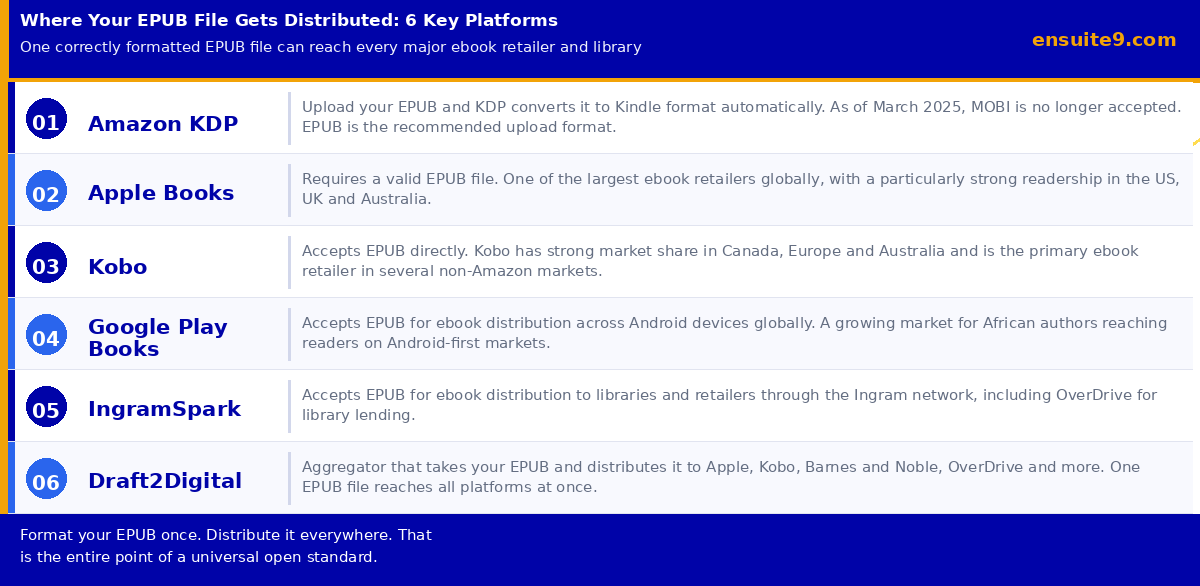
One of the advantages of EPUB as a format is that a single correctly formatted file can reach every major ebook retailer and distribution channel globally. Here is where your EPUB goes when you publish.
Amazon KDP is the largest ebook retailer in the world, accounting for approximately 67% of all US ebook purchases. Uploading your EPUB to KDP gives your book a listing on Amazon.com, Amazon.co.uk, Amazon.de and every other regional Amazon storefront. KDP is free to set up and pays royalties of 35% or 70% depending on your pricing, with 70% available for books priced between $2.99 and $9.99. For a full guide on KDP setup for African authors, see: The African Author’s Complete Guide to Amazon KDP in 2026.
Apple Books is the second largest ebook retailer globally and is particularly dominant in the US, UK, Canada and Australia. If you have readers on iPhones or iPads, Apple Books is where they are most likely to buy ebooks. You can upload directly through Apple Books for Authors or use an aggregator to distribute there.
Kobo is the leading ebook retailer in Canada and has strong market share across Europe and Australia. In markets where Amazon has a weaker presence, Kobo is often the primary platform where ebook buyers shop. African authors targeting readers in Canada, the Netherlands and other European markets should prioritise Kobo distribution.
Google Play Books distributes ebooks to Android devices globally. In many African markets, where Android phones are significantly more common than iPhones, Google Play Books represents meaningful distribution that Amazon and Apple do not fully capture. For African authors targeting readers within Nigeria and across the continent, Google Play Books is worth including in your distribution strategy.
IngramSpark distributes your EPUB to libraries through the OverDrive and Baker and Taylor networks. Library distribution means your book can be borrowed through public library apps across the UK, US, Canada and Australia, reaching readers who discover books through their local library rather than through retail channels. For more on IngramSpark and how it compares to KDP for African authors, see: IngramSpark vs Amazon KDP for African Authors.
Draft2Digital is an aggregator that takes your single EPUB file and distributes it to Apple Books, Kobo, Barnes and Noble, OverDrive, Scribd and more. Instead of uploading separately to each platform, you upload once to Draft2Digital and it handles distribution to all of them. Draft2Digital is free to use, taking a percentage of each sale rather than charging upfront fees. Most authors use KDP for Amazon directly and Draft2Digital for everything else, since KDP pays the highest royalty rate for Amazon sales and Draft2Digital handles the complexity of managing multiple other platforms simultaneously.
How to Get Your Manuscript Formatted as an EPUB
You cannot simply save a Word document as an EPUB and expect it to work properly. Word does have an export-to-EPUB function, but it produces messy code that often results in formatting problems on ereaders. A properly formatted EPUB requires clean underlying code, correctly structured headings, a functional table of contents, properly embedded images, and accurate metadata.
There are three main approaches to EPUB formatting.
Formatting software. Tools like Atticus, Vellum (Mac only), and Sigil are designed specifically to produce professionally formatted EPUBs from Word documents. Atticus is available on all platforms, costs a one-time fee of $147, and produces both EPUB and print PDF files. Vellum is regarded as producing the most beautiful EPUB output but is Mac-only and subscription-based. Sigil is free, open-source and more technically demanding. For most first-time authors, Atticus strikes the best balance of quality, accessibility, and cost.
Professional formatting services. If formatting is outside your comfort zone or if your book has complex design requirements, hiring a professional book formatter is the right choice. A professional formatter produces both the EPUB and the print PDF to the exact specifications required by KDP and IngramSpark. Rates for professional book formatting typically range from $100 to $400 depending on the complexity of the manuscript and whether print formatting is included. Ensuite 9 provides professional ebook and print formatting as part of all publishing packages. See our publishing services page for details.
Kindle Create. Amazon’s free tool, Kindle Create, produces a KPF file (essentially Amazon’s version of an EPUB) that is optimised specifically for Kindle. If you are only publishing on Amazon and do not need wide distribution, Kindle Create is a reasonable free option. If you are publishing on multiple platforms, you need a proper EPUB, which Kindle Create does not produce.

EPUB for African Authors: What Is Specific to Your Market
African authors distributing ebooks in 2026 face a specific set of considerations that generic EPUB guides do not address.
The first is payment. Receiving royalties from KDP, Apple Books and Kobo requires a payment mechanism that works for your location. For Nigeria-based authors, Payoneer is the most practical solution for receiving KDP payments. Payoneer requires that your account name matches your KDP account name exactly, which is a common source of payment delays. Set this up correctly before your book goes live. For a complete guide to KDP payment setup from Nigeria, see: The African Author’s Complete Guide to Amazon KDP in 2026.
The second is the Android market opportunity. Nigeria has one of the highest Android device penetration rates in the world. Google Play Books, which runs on all Android devices, represents a distribution channel that reaches Nigerian readers directly without requiring an Amazon account or a Kindle device. Most self-publishing guides written for US or UK audiences do not emphasise Google Play Books because it is a smaller market in those regions. For African authors, it deserves specific attention as part of the distribution strategy.
The third is direct sales. Platforms like Selar and Bambooks allow African authors to sell EPUB files directly to readers in Nigeria and across the continent, with payment via Paystack or Flutterwave. Selling directly keeps 90% to 95% of each sale price with the author compared to 35% to 70% through retail platforms. For readers who already follow you on social media or through your email list, direct sales through Selar is typically more profitable than any retail channel. For a full guide to direct ebook sales, see: How African Authors Can Sell Books Directly Without Relying on Amazon.
Common EPUB Mistakes First-Time Authors Make
Uploading a DOCX instead of an EPUB. KDP accepts DOCX but the formatting is unreliable. Always convert to a properly formatted EPUB first, then preview in Kindle Previewer before uploading.
Not previewing before publishing. Always preview your EPUB on at least two different simulated device types in Kindle Previewer before approving your book for publication. Formatting issues that look fine in the previewing software sometimes appear differently on actual devices.
Using a different EPUB for each platform. One correctly formatted EPUB should work on all platforms. If your EPUB requires significant modifications to work on different platforms, the underlying formatting likely has errors. Fix the EPUB rather than creating platform-specific versions.
Forgetting metadata. Your EPUB file contains embedded metadata including your title, author name, ISBN and description. Make sure this metadata is accurate and consistent with what you enter on each platform during upload. Inconsistent metadata between your EPUB file and your platform listings can create cataloguing issues.
Using a Word-exported EPUB. Word’s built-in EPUB export produces messy HTML code that creates formatting problems on many ereaders. Use dedicated formatting software or a professional formatter instead.
Frequently Asked Questions
Do I need a different EPUB for each platform?
No. One correctly formatted EPUB file works across all platforms. You upload the same file to KDP, Apple Books, Kobo, Google Play Books and any aggregator. The platforms handle any conversion required on their end.
Is EPUB the same as MOBI?
No. EPUB is the current universal standard format for ebooks. MOBI was Amazon’s legacy format, discontinued in March 2025. Do not create or submit MOBI files. Use EPUB for all ebook distribution going forward.
Can I read an EPUB on a Kindle?
Yes, but not by uploading directly in the normal way. When you upload an EPUB to KDP, Amazon converts it to Kindle format behind the scenes. If you want to read an EPUB file on a Kindle device outside of the KDP publishing process, you can use Amazon’s Send to Kindle app to transfer the file, and the app converts it automatically.
What software do I use to create an EPUB?
Atticus is the most practical option for most authors, available on Windows and Mac. Vellum is Mac-only but highly regarded for output quality. Sigil is free and open-source but more technical. If formatting feels overwhelming, a professional formatter produces a clean EPUB and print PDF for $100 to $400.
Do I need an ISBN for my EPUB?
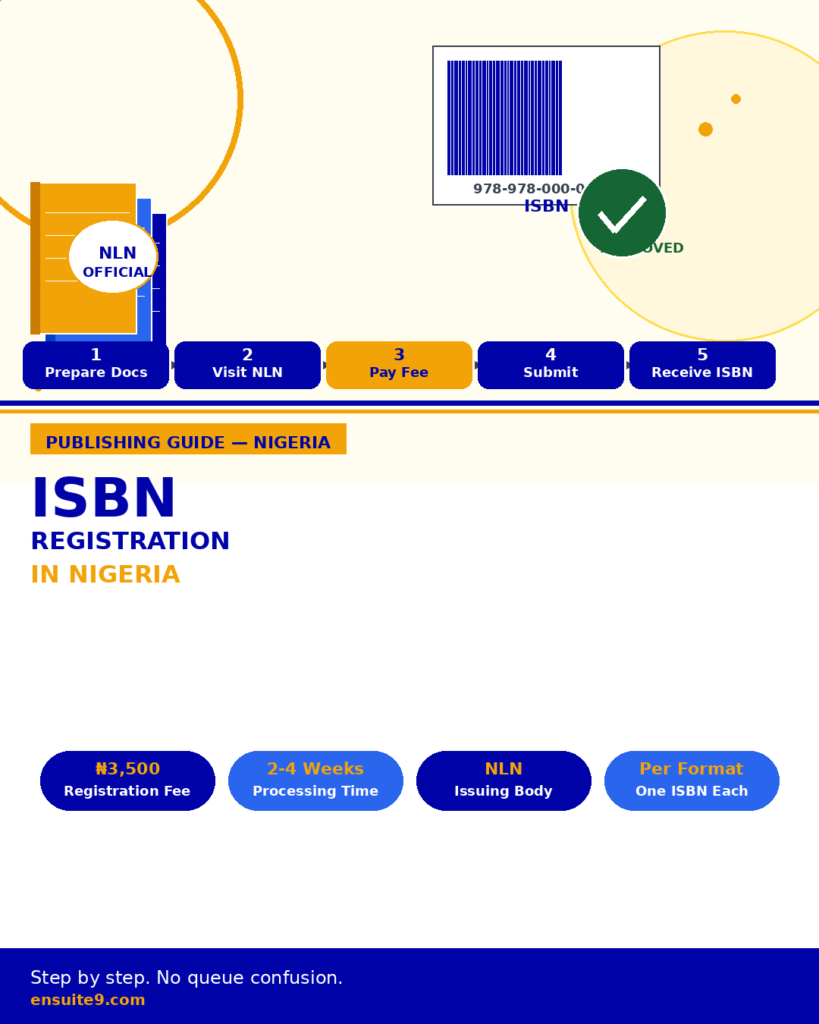
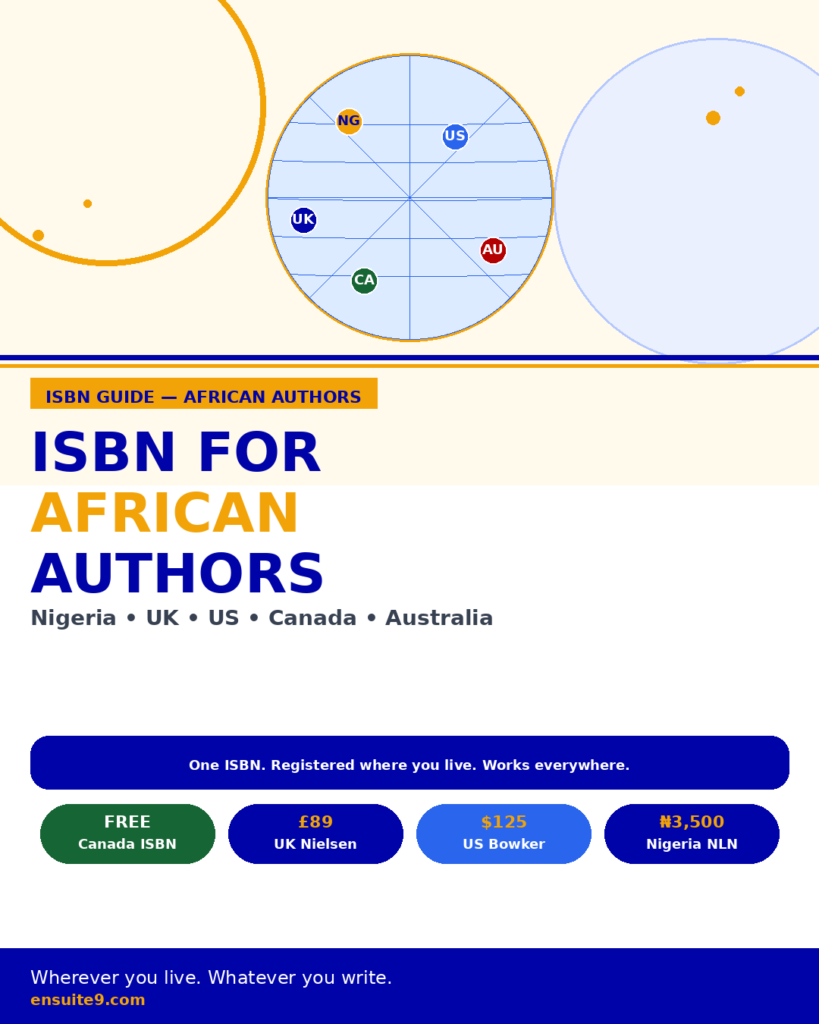
An ISBN is not strictly required to upload an EPUB to KDP or Apple Books, both of which provide free platform-specific identifiers. However, if you want your ebook listed in library catalogues and bookstore ordering systems, a separately registered ISBN for the EPUB edition is important. For a full guide to ISBN registration, see: ISBN Registration in Nigeria or ISBN for African Authors in the Diaspora.
Ensuite 9 handles EPUB formatting and print PDF production as part of all publishing packages for coaches, authors and consultants. If you want to discuss getting your manuscript formatted and distributed correctly, book a free 30-minute discovery call.